User Surveys
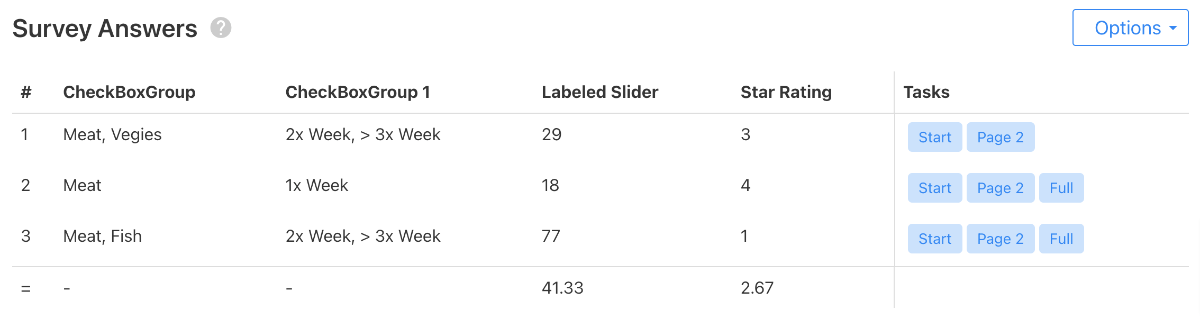
When users test a Quant-UX prototype, the user input is saved. For instance, a Star Rating that they are giving is stored. You can use this mechanism to also collect qualitative feedback from the users.You can see the survey answers in the "Dashboard" section.
Quant-UX comes with many elements that can be used to collect direct user feedback. In the widget menu in the design canvas, you can find for instance Star Ratings or NPS feedback elements.Create Survey
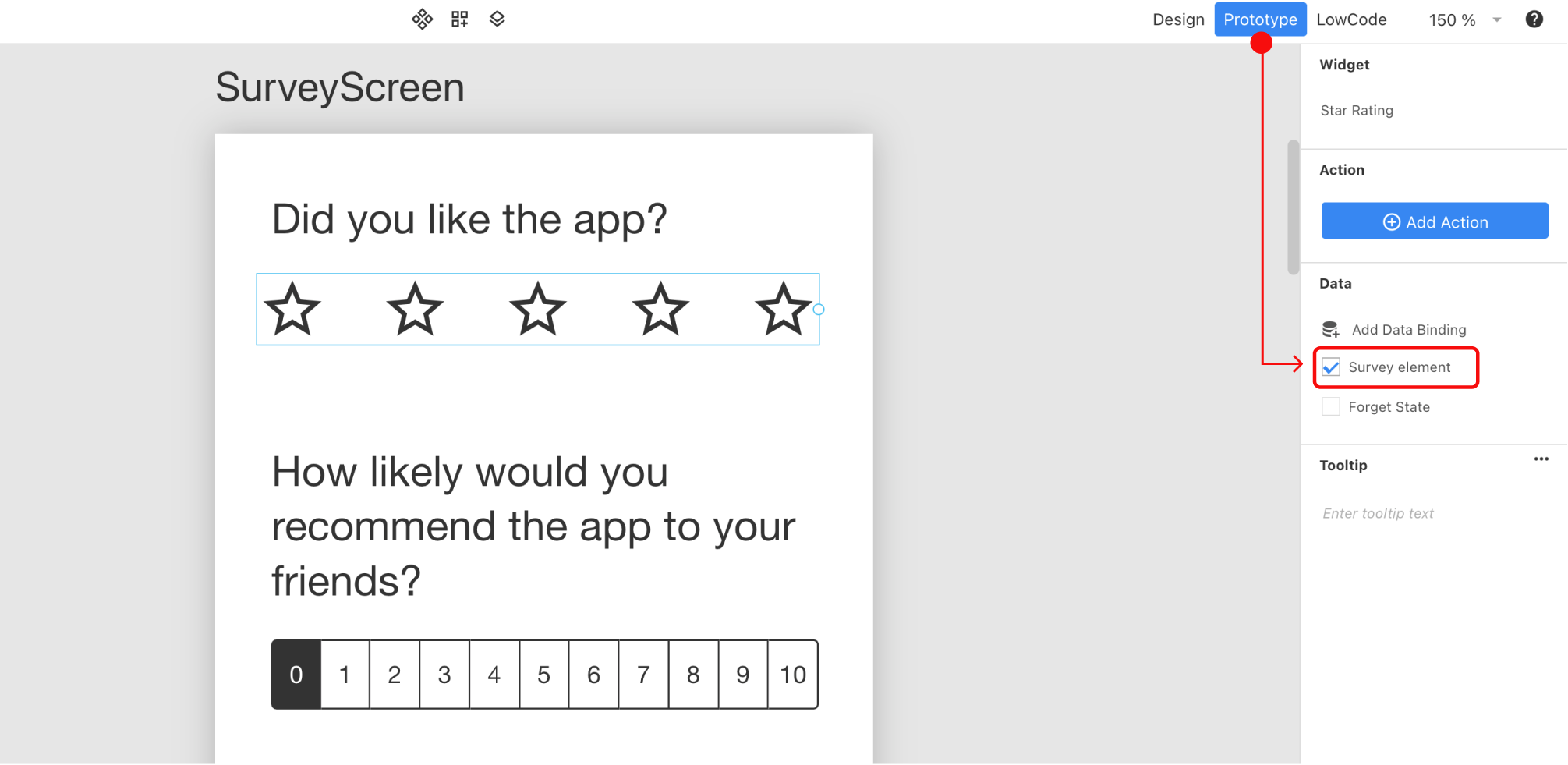
To create a survey in your prototype, simply use the normal input elements, such as Star Ratings or input boxes. You have to create a data binding for every element that you want to be visible in the survey section. To create for instance a Star Rating at the end of the test follow these steps:- Add a new screen to your prototype, and link it as the last screen in the flow.
- Add for instance a Star Rating element to the screen
- Select the new element
- Select the 'Prototype' view
- Select the 'Survey Element' checkbox.
Tasks
You can also show for each user the successful task. Simply select "Show Tasks" in the "Options" menu. By comparing the user feedback and the task success, it becomes easy to varify if there is a correlation between the objective performance of a tester and the implicit, personal perception of the app. If there is a mismatch, it might make sense to check the screen recording for further details.